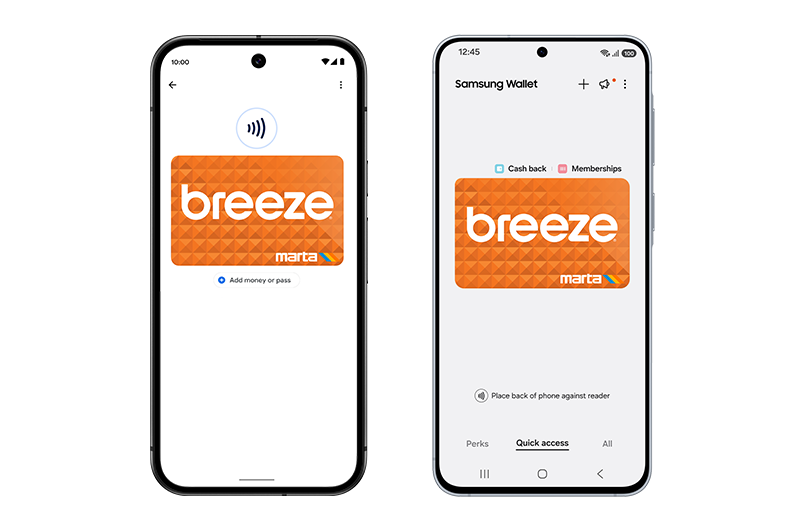
Android users, Breeze for Google Wallet and Samsung Wallet is here, making it possible to use your phone to pay, anywhere Breeze is accepted - to ride the train, streetcar, RapidA-Line, or bus service on MARTA, ATL Xpress, CobbLinc, Connect Douglas, and
Ride Gwinnett.
Add a new Breeze card in Google Wallet and Samsung Wallet to pay for trips, load fare, and see your trip history.
Customers with physical Breeze cards, including can easily convert them to digital cards in Google Wallet and Samsung Wallet, and all passes and balances on your account are seamlessly transferred to your phone.
To ensure the best experience, customers are encouraged to link their virtual Breeze card to their Breeze account at
breezecard.com or on the new
Breeze Mobile app.
Adding a Breeze card to your Google Wallet:
- Open Google Wallet on your Android device.
- Hit the + icon.
- Choose Transit Pass/Card.
- Search for “Atlanta,” “Breeze” or “MARTA.”
- Tap set up a new card
- Choose add Value or a Pass to begin
- Select the amount or Pass then tap continue
- Review payment and process
- Tap “View in Wallet” to access the card in your Google Wallet.
Adding a
Breeze card to your Samsung Wallet:
- Open Samsung Wallet on your Samsung device.
- Hit the + icon.
- Choose Add Transit Card.
- Search for “Atlanta” or “Breeze.”
- Tap Buy a new card
- Select amount to load
- Review payment and process
To ride:
- No need to unlock your smart device. Just tap it on a faregate or orange validator.
Transfer your physical Breeze card to Google Wallet:
- Open Google Wallet on your Android device.
- Hit the + icon.
- Choose Transit Pass/Card.
- Search for “Atlanta,” “Breeze” or “MARTA.”
- Tap continue.
- Select Transfer an existing card.
- Enter your card details in the fields marked “Card number” and “3-digit security code.”
- Your card is now digitized and is ready to use.
Transfer your physical Breeze card to Samsung Wallet:
- Open Samsung Wallet on your Samsung device.
- Hit the + icon.
- Search for “Atlanta,” “Breeze” or “MARTA.”
- Transfer physical card.
- Enter your card details in the fields marked “Card number” and “3-digit security code.”
- Your card is now digitized and is ready to use.
Add value in Google Wallet:
- Open Google Wallet and select “Breeze Card.”
- Tap “Add money or pass.”
- Tap “Add Money” and select one of the pre-listed or custom amounts.
- Tap continue and process the payment.
- Amount is now loaded onto your card.
Add value in Samsung Wallet:
- Open Samsung Wallet and select “Breeze Card.”
- Tap “Top up” and enter the amount.
- Tap continue and process the payment.
- Amount is now loaded onto your card.
Frequently Asked Questions:
Where can I use my Breeze card in
Google Wallet and Samsung Wallet on my Android Phone?
Use Breeze in Google Wallet and Samsung Wallet to ride the train at all of MARTA’s 38 rail stations and 12 streetcar stops, on the
Rapid A-Line bus rapid transit line in downtown Atlanta, on board MARTA Reach on-demand transit vehicles, and on all local bus routes operated by MARTA, ATL Xpress, CobbLinc, Connect Douglas, and Ride Gwinnett.
How do I add a Breeze card to my
Android phone?
There are 3 ways to add a Breeze card to your Android phone.
1. Use Google Wallet or Samsung Wallet to buy a Breeze card.
2. Use the
Breeze Mobile
app to buy a Breeze card.
3. Transfer an existing registered physical Breeze card to Google Wallet or Samsung Wallet.
You cannot pay a fare using the Breeze Mobile app alone; you will first need to add your Breeze card to Google Wallet or Samsung Wallet.
Which version of Android do I need
in order to use Breeze in Google Wallet and Samsung Wallet?
To use Breeze in Google Wallet and Samsung Wallet, an Android phone must be NFC capable and have Android OS version 5 or newer. To use the Breeze Mobile app, an Android phone must have Android OS version 9 or newer.
Will I be able to use my physical
Breeze card once it's been added to Google Wallet or Samsung Wallet?
Once you transfer your physical Breeze card to Google Wallet or Samsung Wallet, the physical card will be disabled and will no longer work.