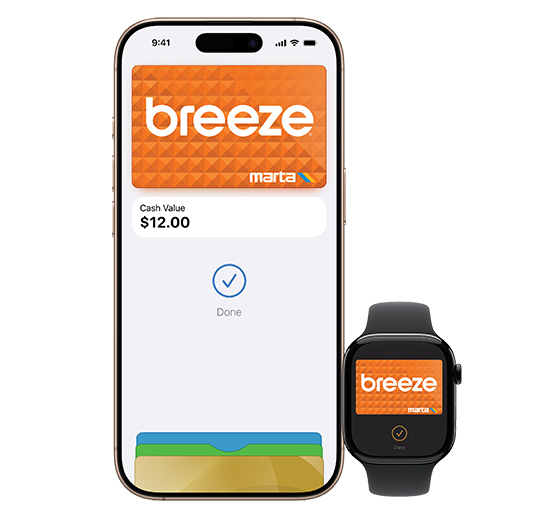
Breeze card on Apple Pay gives customers new and unparalleled convenience to use their iPhone or Apple Watch anywhere Breeze is accepted – to ride the train, streetcar, Rapid A-Line, or bus service on MARTA, ATL Xpress, CobbLinc, Connect Douglas, and Ride Gwinnett.
Adding
a Breeze card to your iPhone:
- Open Apple Wallet on your iPhone.
- Tap the plus sign (+).
- Tap Transit Card to get started.
Adding a Breeze card to your Apple Watch:
- Open Apple Wallet on your Apple Watch.
- Tap Add Card to get started.
Adding Value in Apple Wallet:
- Open the Apple Wallet app.
- Select your Breeze card.
- Click Add Money.
- Enter desired Amount to Load.
To
ride:
- Pay quickly with your Breeze card on Apple Pay. Simply hold your iPhone or Apple Watch near the reader to pay, then go through the fare gates or board the bus. With Express Mode, there’s no need to authenticate with Face ID or open any apps..
Frequently Asked Questions:
Where can I use Breeze in Apple Wallet?
Use Breeze in Apple Wallet to ride the train at all of MARTA’s 38 rail stations and 12 streetcar stops, on the Rapid A-Line bus rapid transit line in downtown Atlanta, on board MARTA Reach on-demand transit vehicles, and on all local bus routes operated by MARTA, ATL Xpress, CobbLinc,
Connect Douglas, and Ride Gwinnett.
Can I have my Breeze card on both my iPhone and Apple Watch?
Your Breeze card can only be on a single device at one time. You may have a Breeze card on both your iPhone and Apple Watch as long as they are two separate Breeze cards.
If I have both a Breeze card and a bank card in Apple Wallet,
which card will be charged for my transit trip?
The reader will select the Breeze card first. If you prefer to pay for your trip with your credit or debit card, then you should enable Express on your preferred payment card and disable Express on your Breeze card.
What happens if my physical cards and devices are accidentally
charged at the same time?
Only one card will ever be charged at a time. To ensure that only your chosen payment method is charged, always keep your physical cards separate from your Apple devices when paying for transit using Express Mode.
Can I tap when my iPhone needs to be charged?
You may be able to use your Express Mode-enabled card on your iPhone even when your device needs to be charged. With a compatible iPhone, you may be able to use power reserve to make an Express transaction for up to five hours when your iPhone needs to be charged. Learn more
https://support.apple.com/en-us/105123.
Can I transfer my Breeze card from my iPhone to my Apple Watch?
Yes, open the Watch app on your iPhone, scroll to Wallet & Apple Pay, select the Breeze card that you want to transfer, click “Add” and follow the prompts to authenticate. From the Watch app it’s also possible to transfer a Breeze card from your Watch to your iPhone.
How do I enable Express Mode?
Go to Apple Wallet and select your debit or credit card. Then tap (three dots) and choose Card Details. Scroll down to Express Transit and check whether Express Mode is on or off. To turn on Express, tap Express Transit Settings and follow the prompts to authenticate. Please note that if you have a
Breeze card in Apple Wallet, then you will need to disable Express Mode on your Breeze card to use Express Mode with your debit or credit card.
If you prefer Breeze card, go to Apple Wallet and select your Breeze card. Then tap (three dots) and choose Card Details. Scroll down to the Card Information section and check whether Express Mode is on or off. To turn on Express, tap Express Transit Settings and follow the prompts to
authenticate.
Only one payment card can be enabled for Express Transit at a time.
Apple Pay is a service provided by Apple Payments Services LLC, a subsidiary of Apple Inc. Neither Apple Inc. nor Apple Payments Services LLC is a bank. Any card used in Apple Pay is offered by the card issuer.