
Breeze FAQs
Better Breeze Overview
What is better Breeze?
Better Breeze is an all new, easier, more flexible, and more secure fare payment system. It includes:
- Open payment, where customers can tap a bank card or mobile wallet directly on faregates or fareboxes to pay their fare. Reliable, touch-screen Breeze vending machines.
- Modern fare equipment that reduces fare evasion and improves transit system security.
- New Breeze cards and a new mobile app that are compatible with the new system.
Will better Breeze work on all MARTA services?
Yes. All MARTA services will utilize the better Breeze fare payment system including rail, bus, the streetcar, MARTA Mobility paratransit service, bus rapid transit service (Rapid A-Line) and on-demand transit service (MARTA Reach).
Does the better Breeze system include Mobility and Reduced fare service?
Yes. MARTA Mobility and Reduced Fare customers have transitioned to the new fare system. Customers who have not received their card should contact or visit the Reduced Fare office at MARTA headquarters. For more information, click here
How do I receive a new Breeze card?
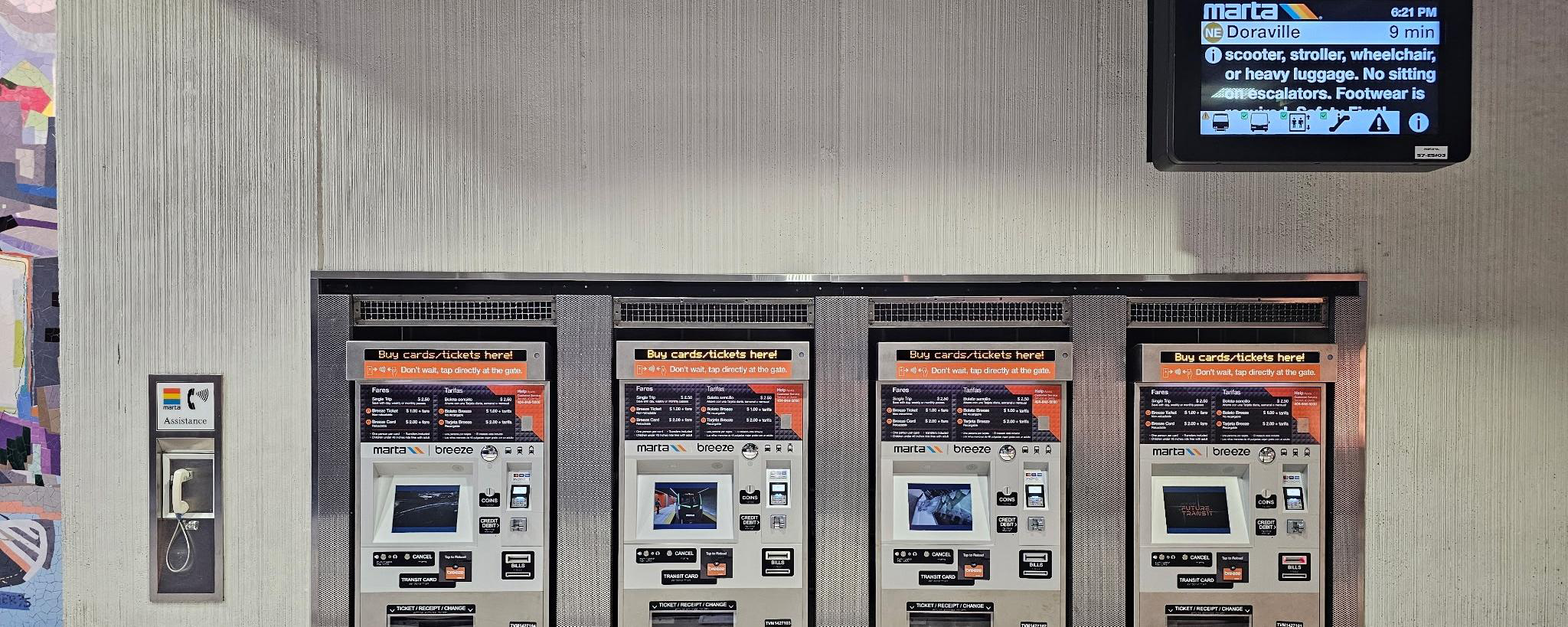
Breeze card holders can get new cards at Breeze vending machines, Ride Stores, Reduced Fare offices (for eligible riders), and online at breezecard.com. Virtual Breeze cards are also available in Apple Wallet, Samsung Wallet, and Google Wallet.
I'm traveling with a group. Can we all use the same card to ride?
Each customer needs their own form of payment. Do not “pass back” a Breeze card, bank card, or mobile wallet for others to use.
If traveling with children or an individual without their own form of payment, you may purchase fare at any new touchscreen ticket vending machine. Multiple cards may now be purchased in one transaction at ticket vending machines.
You may also pay for a companion using a different contactless-enabled bank card than the one you used.
Can I use cash to pay my fare?
Yes, cash transactions remain available to purchase a Breeze ticket or card at a ticket vending machine or RideStore. Cash is also accepted as fare payment on MARTA and regional transit agency buses (CobbLinc, Ride Gwinnett, Xpress). Customers who pay cash for their fare on the bus will receive a one-way fare only, with no transfers, and no change will be provided. Value cannot be added to the new orange Breeze card on buses. We recommend loading exact fare.
Does better Breeze work with regional transit partners (Xpress, CobbLinc, Connect Douglas, and Ride Gwinnett)?
Yes. MARTA's regional transit agency partners are part of Breeze and have transitioned to the better Breeze system.
What are the transfer rules for MARTA and its regional transit agencies?
Learn more about MARTA's transfer policy on the
Where do I tap on the faregate?
As you approach the faregate, the card reader is located on the top right side of the faregate. Hold your card or phone up to the black circular tap to pay symbol below the screen.
What does the red "X" mean on the faregate?
If you see the red "X," it could mean that someone is entering from the opposite side, there is a payment error, or the faregate is not currently working. If the red "X" is related to a payment issue, the screen will provide more details.
What do I do if I can't fit through the gate with my items?
There will always be a larger ADA faregate near a MARTA rail entrance or exit. If for any reason you aren't able to use the ADA gate, find a station agent or use the customer assistance phone.
Can international customers use the Breeze Mobile?
Some international customers may not be able to use the app. You can still use a credit / debit card to tap-to-pay, or purchase a Breeze card.
How do I register my Breeze card?
Visit breezecard.com or download the Breeze Mobile app to create an account and link your Breeze card to your account. Registering an account will help you manage your Breeze balance, including balance protection and fare management.
Can I transfer my Virtual Card between my phone(s) and my watch? Is there a limit?
Yes. You can transfer your Virtual Card between your phone(s) and your watch. There is a limit of five (5) transfers per year.
Tap to pay
What is tap to pay (open payment) and how does it work?
Open payment allows customers to use a bank card (debit or credit card) or a mobile wallet on their smart phone or watch to pay their fare.
Customers can simply tap the bank card or their smart device on the faregate or bus.
Open payment is used widely at retailers and restaurants and on many of the world’s largest transit agencies. Your bank may put a hold on your card for an amount usually around $1 (but can be more, depending on your financial institution). This will usually clear around 3 am the next day, as determined by your financial institution.
If my Breeze card is next to my bank card when I tap, is it possible both cards will be charged?
It’s rare but it can happen. To ensure you aren’t charged fare on both, keep bank cards or your smart device separate from your physical Breeze card when tapping.
How can I use my iPhone or Apple Watch to pay for transit?
You will need to add a credit or debit card to Apple Wallet to pay with your iPhone or Apple Watch.
Will I still receive transfers when using tap to pay (bank card or mobile wallet)?
Yes. Customers using tap to pay still receive four transfers within a three-hour period. Tap the same bank card or mobile wallet card on all fare equipment throughout your trip. If you use different cards throughout your trip, you will not get a transfer, and will be charged twice.
Can I use Express Mode to pay for transit?
Yes, you can use your Express Mode enabled credit or debit card to quickly pay for your transit trip in metro Atlanta.
How do I enable Express mode?
Go to Apple Wallet and select your debit or credit card. Then tap on [ellipsis] and choose Card Details or Account Details. Scroll down to Express Transit and check whether Express Mode is on or off. To turn on Express, tap “Express Transit Settings,” select your desired card, and follow the prompts to authenticate. Only one payment card can be enabled for Express Transit at a time. Learn more
Can I tap when my iPhone needs to be charged?
You may be able to use your Express Mode enabled card on your iPhone even when your device needs to be charged. With a compatible iPhone, you may be able to use power reserve to make an Express transaction for up to five hours when your iPhone needs to be charged. Learn more
Can I use a virtual Breeze card on Apple Wallet? If I already have a physical Breeze card, can it be transferred to a virtual Breeze card?
Yes. Click hereto follow setup instructions for Apple Wallet. Currently, it is not possible to transfer a physical Breeze card to a virtual Breeze card on Apple Wallet.
Can I use Google Pay for Transit?
Yes. Please follow setup instructions at Google Pay
Can I use Samsung Pay to pay for transit
Yes. Please follow setup instructions at Samsung Pay
Can I use a virtual Breeze card on Google Wallet or Samsung Wallet? If I already have a physical Breeze card, can it be transferred to a virtual Breeze card?
Yes. Click here to follow setup instructions for Samsung Wallet and Google Wallet.
I have my credit/debit card linked in my mobile wallet. Can I use both the physical and virtual version of the card during a single MARTA ride?
No. Even if your debit/credit card and mobile wallet are linked to the same bank account, they are treated as different payment methods by the system. Make sure you use either your physical card or the card in your mobile wallet throughout your ride to ensure you are charged only once for the ride, and to ensure you get your transfers.
Can a virtual Breeze card exist on a phone and watch?
Yes, as long as both devices are linked to the same account on your phone and watch.
Can I use my tap-enabled international credit card to ride?
Yes.
My card was charged an amount less than the $2.50 fare upon tapping, followed by another charge around 3am. Am I being charged twice?
No. When a user taps their card for the first time in a day, the card issues a placeholder amount. This amount is usually around $1 (but can be more depending on your financial institution). At the end of the day, the system adds up all of your rides, and charges the final amount around 3 am.
What do I do if my pass stopped working in Android?
Check your settings, find the "NFC and contactless payment" function (you can search for "NFC") and make sure NFC is enabled. If it is off, turn it on. If it is on, turn it off and back on again.
Can I pay my fare with payment apps like Cash App, Paypal, Zelle, and Venmo?
No, payment apps, like Cash App, Paypal, Zelle and Venmo cannot be used as payment methods at faregates or ticket vending machines.
Breeze Transactions
Am I being charged again when I tap out of the fare gates?
No. Riders are required to tap in and out when riding MARTA rail.
Why does my card have a negative balance? How can I start using my Breeze card again?
In some circumstances, a negative balance may occur when you tap a Breeze card with no stored value. You will need to settle your negative balance by adding cash value before you can add any additional fare products to that Breeze card.
If I have multiple fare products on my Breeze card, which one will be used first?
When you have multiple Breeze fare products on one Breeze card, the following order applies
- Active transfer
- Active pass (e.g., monthly pass)
- Trip loaded on card
- Inactive pass
- Stored value
What will the Breeze transaction be called on my bank statment or online banking?
Depending on your bank, the transaction name may include "Breeze" or "MARTA." Some examples include Breeze Airways and MARTA TVM.
When will my payment post to my bank account?
At the end of the day, the system adds up all of your rides, and charges the final amount around 3 am.
How do I check my Breeze card transactions?
You can review your transactions at a ticket vending machine (TVM), breezecard.com, or the Breeze Mobile app.
Who do I contact for a Breeze transaction issue?
Contact customer service (404) 848-5000
More InformationWhat is the maximum number of coins and bills you can put in a TVM?
The maximum is 30 coins and 15 bills.
Transition to better Breeze
Can I use my old (silver or yellow) Breeze card on the better Breeze system?
No. Old (legacy) Breeze cards no longer work with the new Breeze system.
Breeze card holders can get new cards at Breeze vending machines, Ride Stores, Reduced Fare offices (for eligible riders), and online. Virtual Breeze cards are also available in Apple Wallet, Samsung Wallet, and Google Wallet. You can transfer your old balance through October 30, 2026. To transfer:
1. Go to breezecard.com and select “Sign in” or “Register.”
2. After signing in, link your NEW Breeze card. You will receive an email notification confirming the linking of the card to your account.
3. Select “Transfer legacy card balance/passes.”
4. Enter your old Breeze card number (silver card) or old Breeze Mobile 2.0 account email.
5. Verify the transfer.
Can I use the Breeze Mobile 2.0 app on the better Breeze system?
No. The old Breeze Mobile 2.0 app does not work on the new Breeze system. Users should delete Breeze Mobile 2.0 and download the new Breeze Mobile app, create a new account and register their Breeze card. The new Breeze app will be used for loading fare and account management. Virtual Breeze cards are available in Apple Wallet, Google Wallet, and Samsung Wallet.
How do I transfer balance from my old Breeze card to the new orange Breeze card?
MARTA will accommodate balance transfers from old Breeze cards and the Breeze Mobile 2.0 app to new Breeze accounts May 5 through October 30. Before beginning the transfer process, customers must have a new, orange Breeze card or new, black and white Reduced Fare or Mobility card.
Once customers have their new Breeze card, they should follow the steps below to ensure any remaining balance on their old Breeze card or Breeze Mobile 2.0 account is transferred to their new Breeze account.
1. Go to breezecard.com and select “Sign in” or “Register.”
2. After signing in, link your NEW Breeze card. You will receive an email notification confirming the linking of the card to your account.
3. Select “Transfer legacy card balance/passes.”
4. Enter your old Breeze card number (silver card) or old Breeze Mobile 2.0 account email.
5. Verify the transfer.
Is there a fare increase with the better Breeze system?
No. Refer to the Fares & transfers page for a list of current .
Why doesn't the faregate open when I tap to exit? It even shows the green checkmark.
During construction, some faregates are set to open automatically when you approach. Stations are being transitioned to the tap-to-exit setting, which will be the standard across the system once everything is installed. If you approach a faregate that is not opening, step closer.